
How to Make Your Resume ATS-Friendly in 2026 (Free ATS Checker Included)
You spent three hours perfecting your resume. You hit submit. And then… nothing. No call, no email, not even a rejection. If that sounds familiar, the problem probably wasn’t your experience — it was the software that read your resume before a human ever did.
Most job seekers still picture a recruiter scanning their resume line by line. In reality, that resume usually goes through an Applicant Tracking System (ATS) first, and the numbers are rough: roughly 75% of resumes are rejected by ATS software before a recruiter ever sees them, and nearly 99% of Fortune 500 companies now run every application through one. If your formatting confuses the system or your keywords don’t match the job description, you can be the most qualified person for the role and never hear back.
The good news is that beating the ATS isn’t about tricking a robot. It’s about writing a resume that’s clear, well-structured, and honest about your skills — the kind of resume that happens to be easy for software to read and easy for a human to skim. Here’s exactly how to do that in 2026, plus a free tool at the end to check your score before you hit apply.
What Is an ATS, and Why Does It Matter More in 2026?
An Applicant Tracking System is software companies use to collect, sort, and rank job applications. When you upload your resume, the ATS doesn’t “read” it the way a person does. It parses the file, breaks your information into fields (name, job titles, dates, skills, education), and then scores or filters candidates based on how well those fields match the job posting.
In 2026, this process has gotten more sophisticated, not simpler. AI-assisted screening is now standard in most major systems, meaning resumes are evaluated not just for exact keyword matches but for how naturally those keywords appear in context. Employers have also gotten more mobile-friendly and faster with their hiring workflows, which means resumes that load cleanly, parse correctly, and communicate value quickly have a real edge. Recruiters are moving fast, and a resume that confuses the software gets filtered out before a human ever gets the chance to disagree.
This isn’t a reason to panic. It’s a reason to be deliberate about three things: keywords, formatting, and structure. Let’s go through each one.
Step 1: Do Real Keyword Research (Not Guesswork)
Keyword stuffing is out. Context and relevance are in. ATS software today is generally good at recognizing when a keyword is used naturally versus dumped into a list with no purpose, so your goal is to mirror the language of the job posting, not just sprinkle in buzzwords.
How to research keywords properly:
Pull 3–5 job postings for the exact role you want. Don’t just use one. Look for roles from different companies but the same title to see which terms repeat.
Highlight repeated nouns and skills. These are usually the hard requirements the ATS is scoring against — things like specific software names, certifications, methodologies, or technical skills.
Separate hard skills from soft skills. Hard skills (e.g., “Google Ads,” “SQL,” “Adobe Premiere,” “Six Sigma”) are what most ATS platforms weigh heavily. Soft skills (“communication,” “leadership”) matter too, but they carry less parsing weight because they’re harder to verify.
Match the exact phrasing. If the posting says “customer relationship management (CRM) software” and you wrote “client database tools,” the ATS may not connect the two. Use the same terminology the employer used.
Check your job title. If you were a “Digital Marketing Specialist” but the posting is for a “Digital Marketing Coordinator,” and the responsibilities overlap significantly, consider aligning your title language (without lying about your actual role) so the parser recognizes the match.
A resume tailored this way isn’t dishonest — it’s translation. You’re describing your real experience using the vocabulary the employer already uses to search for it.
Step 2: Fix Your Formatting (This Is Where Most Resumes Fail)
Formatting is the single most common reason a qualified candidate gets filtered out. Roughly 8 in 10 employers believe they’re losing strong candidates simply because those candidates submitted resumes the ATS couldn’t read correctly. The system doesn’t reject you for lacking skills — it rejects you because it literally couldn’t extract your information.
Do this:
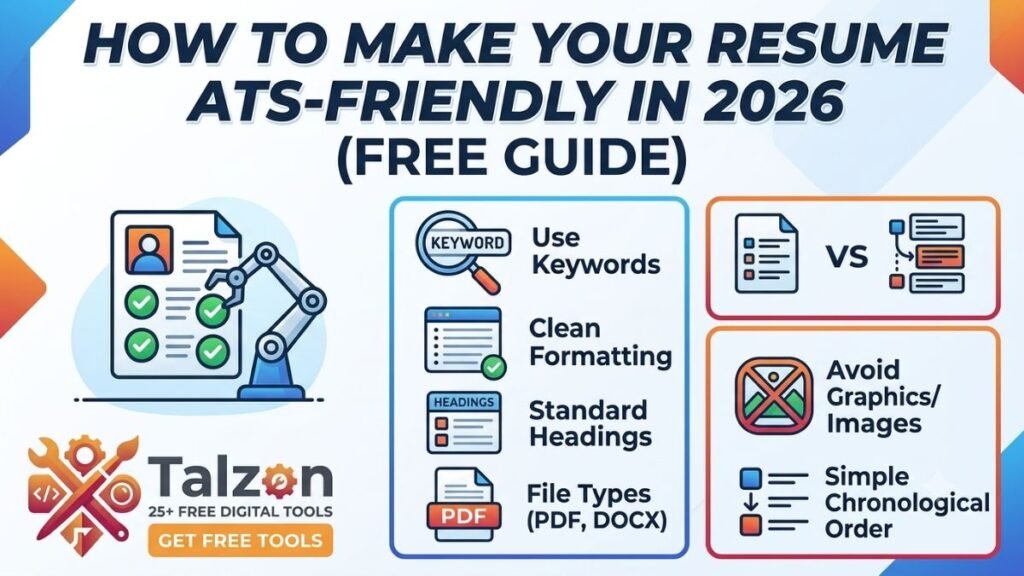
Use standard section headings. “Experience,” “Education,” “Skills,” “Certifications.” Creative labels like “My Journey” or “Where I’ve Been” can confuse parsing.
Stick to a single-column layout. Multi-column designs, tables, and text boxes often get scrambled or skipped entirely by parsers.
Save as .docx or a text-based PDF, not an image-based PDF or a scanned document. Most modern systems handle both formats fine, but a text-based file is always the safer bet.
Use standard fonts like Calibri, Arial, or Georgia. Avoid decorative fonts that might not render consistently.
Avoid headers, footers, and text boxes for important information. Some parsers skip these sections entirely, meaning your contact info or a key job could vanish from what the recruiter sees.
Keep dates consistent (e.g., “MM/YYYY” throughout) so the system can correctly calculate your experience timeline.
Name your file professionally, like “FirstName_LastName_JobTitle_Resume.docx” rather than “Resume_final_v3_USE_THIS_ONE.docx.”
Avoid this:
Icons or graphics used as bullet points or section dividers
Skills embedded inside images or infographics
Tables to organize your work history
Text in headers/footers (contact info should live in the main body)
Step 3: Structure Your Resume for Humans and Machines
Once your formatting is clean and your keywords are researched, the last piece is structure — organizing the resume so both the parser and the recruiter can find what they need fast.
A strong 2026 ATS-friendly structure looks like this:
Contact Information — full name, phone, email, city/state, LinkedIn (in the body, not a header)
Professional Summary — 2–3 sentences that mirror the job title and top 2–3 required skills from the posting
Skills Section — a clean list of hard skills pulled directly from your keyword research
Professional Experience — reverse chronological, with job title, company, dates, and 3–5 bullet points per role
Education
Certifications (if relevant)
Inside your experience bullets, quantify your impact wherever possible. “Managed social media accounts” says far less than “Grew Instagram engagement by 42% across three client accounts in six months.” Numbers stand out to a human reader, and they also give the ATS more specific, matchable context around your keywords.
Keep the resume to one or two pages depending on your experience level, and remove filler content. Resume length itself doesn’t hurt your ATS score much, but a bloated resume full of vague statements dilutes your keyword relevance and makes the recruiter’s job harder once you do get through.
Step 4: Test Before You Submit
Here’s the part most job seekers skip: they optimize their resume based on guesses, submit it, and never actually check whether it parses correctly. Given that the average unoptimized resume scores around 55% on ATS compatibility checks, while a well-optimized one can reach 90%+, this step is the difference between silence and interviews.
Before you send your resume anywhere, run it through an ATS checker to see:
Whether your formatting parses cleanly
How well your keywords match the specific job description
What’s missing compared to the posting’s requirements
An overall compatibility score you can improve before you apply
Try the free ATS Resume Checker here — paste in your resume and the job description, and get an instant breakdown of your match score, formatting issues, and missing keywords, so you know exactly what to fix before you hit submit.
A Quick Pre-Submit Checklist
Keywords pulled from 3–5 real job postings, not guessed
Job title language aligned with the posting where accurate
Single-column layout, standard fonts, no text boxes or tables
Contact info in the main body, not header/footer
Saved as .docx or text-based PDF with a professional filename
Bullet points quantified with real numbers
Checked with an ATS scanner before submitting
Final Thoughts
An ATS-friendly resume isn’t about gaming a system — it’s about removing every unnecessary obstacle between your real experience and the person who needs to see it. Clean formatting, honest keyword alignment, and a structure that’s easy to scan will get you further than any trick or hack. Do the research, format it properly, and always double-check your work with a scanner before you apply. In a hiring market where most resumes never make it past the software, that extra ten minutes of checking could be exactly what gets you the interview.
Leave a Reply