
Why Browser PDF Tools Are More Private and Secure
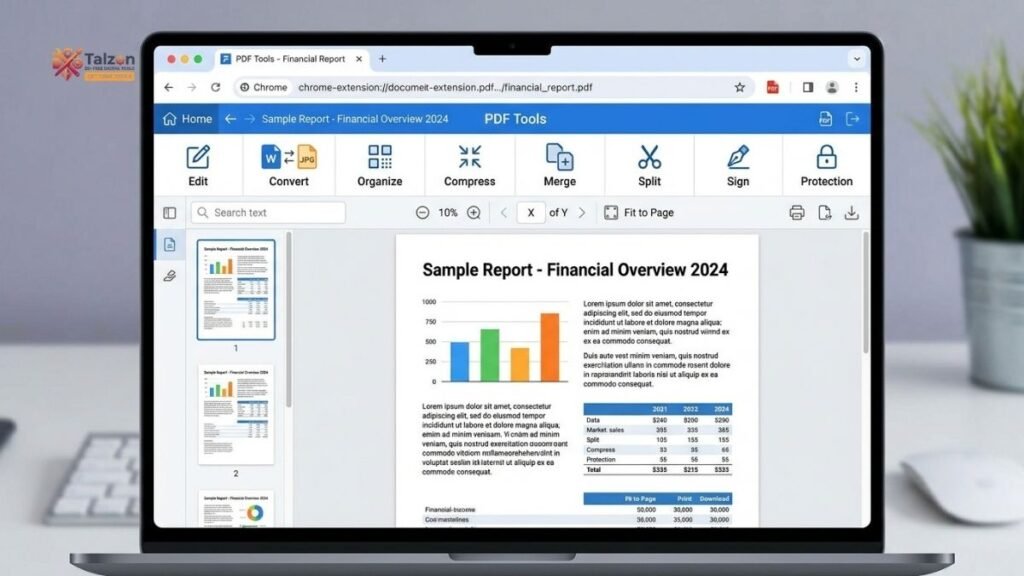
In an age where data breaches and privacy violations dominate headlines, the way we handle everyday documents matters more than ever. PDFs often contain sensitive information—tax returns, contracts, medical records, or business proposals. Yet millions of people still upload these files to online tools that process them on remote servers. The good news? Modern browser PDF tools now let you edit, merge, split, and convert PDFs entirely within your browser, keeping your data private and under your control.
This article explains why browser-based PDF tools offer superior privacy compared to traditional cloud services, how client-side processing works, and what to look for when choosing a secure PDF workflow.
The Privacy Problem with Traditional Online PDF Tools
Most free online PDF converters and editors follow the same pattern: you upload your file to their server, wait for processing, then download the result. While convenient, this approach introduces several privacy risks:
- Your file travels across the internet, potentially passing through multiple servers and networks where it could be intercepted.
- The service provider stores your file temporarily (or sometimes permanently), creating a target for hackers or unauthorized internal access.
- Third-party analytics, ads, or AI scanning may process your document content without your knowledge.
- Compliance becomes complicated under regulations like GDPR, HIPAA, or CCPA when data leaves your device.
Even if a service claims to delete files after processing, you’re trusting their policies and technical implementation. Over 60% of free PDF tools have vague or unclear deletion policies, leaving users uncertain about what happens to their data.
How Browser PDF Tools Keep Your Files Private
Browser-based PDF tools flip this model on its head. Instead of uploading your file to a server, these tools use modern web technologies like JavaScript and WebAssembly to process PDFs directly in your browser’s memory.
Here’s what happens when you use a client-side browser PDF tool:
- You select a file from your device using the browser’s File API.
- The file loads into your browser’s RAM, never leaving your computer.
- JavaScript libraries (such as pdf-lib or PDF.js) manipulate the PDF locally.
- The processed file is generated in your browser and downloaded as a blob URL.
- When you close the tab, the data disappears from memory—nothing was ever uploaded.
This architecture means exactly zero bytes of your document ever travel over the network for processing. You could disconnect your Wi-Fi, click “Merge,” and the tool would still work seamlessly.
Key Privacy Advantages of Browser PDF Tools
Zero Upload Risk
The most significant privacy benefit is simple: your file never leaves your device. Without an upload step, there’s no risk of interception during transmission, no server-side storage to breach, and no third party with access to your content.
No Server Storage or Retention Policies
Since browser PDF tools don’t receive your files, there’s nothing to store, delete, or manage on the server side. This eliminates entire categories of privacy risk:
- No temporary files lingering on servers
- No deletion schedules to trust
- No backup systems that might retain your data
- No employee access to your documents
Reduced Attack Surface
A browser-based tool that never receives your file has no attack surface for that file. There’s no database to breach, no storage bucket to misconfigure, and no API endpoint that could be exploited to access your documents.
Complete User Control
With client-side processing, you maintain full control over your data at all times. The file exists only on your device, in your browser’s memory, for as long as you keep the tab open. Once you close it, the data is gone.
Simplified Regulatory Compliance
For businesses handling sensitive information, browser PDF tools simplify compliance with privacy regulations:
- GDPR: No data processor relationship needed since files never leave user control.
- HIPAA: No PHI transmission to third parties reduces compliance burden.
- CCPA: No personal data collection means fewer disclosure requirements.
The Technology Behind Private Browser PDF Tools
Modern browser PDF tools leverage several key web technologies to enable powerful client-side processing:
WebAssembly (WASM)
WebAssembly allows high-performance code to run in the browser at near-native speeds. PDF processing libraries compiled to WASM can handle complex binary operations like merging, splitting, and compressing without server assistance.
JavaScript PDF Libraries
Libraries like pdf-lib, PDF.js, and pdfkit provide robust PDF manipulation capabilities entirely in JavaScript. These tools can read, modify, and write PDF files without any server interaction.
Browser File API
The HTML5 File API lets web applications access files selected by users without uploading them. Combined with blob URLs, this enables seamless local file handling and downloads.
Sandboxed Browser Environment
Modern browsers run web pages in highly secure, sandboxed environments. This isolation protects your system from malicious code while allowing legitimate tools to process files safely in memory.
Browser PDF Tools vs. Desktop Applications
You might wonder: if privacy is the goal, why not just use desktop software? Browser PDF tools offer unique advantages:
| Feature | Browser PDF Tools | Desktop Applications |
|---|---|---|
| Installation | No download required | Requires installation |
| Updates | Always current | Manual updates needed |
| Cross-platform | Works on any device with a browser | OS-specific versions |
| Privacy | Client-side processing, no uploads | Local processing, no uploads |
| Accessibility | Use from anywhere | Tied to specific device |
| Storage | No local storage footprint | Takes up disk space |
Both options keep files local, but browser PDF tools combine desktop-level privacy with web convenience.
How to Identify Truly Private Browser PDF Tools
Not all tools claiming to be “online PDF editors” are created equal. Here’s how to verify that a browser PDF tool actually processes files locally:
Look for Explicit Privacy Language
Reputable tools clearly state their processing model. Look for phrases like:
- “Files never leave your device”
- “100% client-side processing”
- “No server upload”
- “Processed in your browser”
Check the Privacy Policy
A transparent privacy policy should explicitly state that document content is not collected, stored, or transmitted. If the policy is vague or mentions server processing, proceed with caution.
Test with Network Monitoring
For the technically inclined, you can verify client-side processing by:
- Opening your browser’s developer tools
- Going to the Network tab
- Processing a PDF
- Checking that no large file uploads occur during processing
Verify Offline Functionality
If a tool truly processes files locally, it should work even with your internet disconnected. Try turning off Wi-Fi and using the tool—if it still works, your files aren’t being uploaded.
Common Use Cases for Private Browser PDF Tools
Browser PDF tools excel in scenarios where privacy matters most:
Legal Documents
Contracts, NDAs, and legal filings often contain confidential information. Processing these locally ensures no third party ever sees the content.
Financial Records
Tax returns, bank statements, and investment documents should never be uploaded to unknown servers. Browser PDF tools keep financial data private.
Medical Records
HIPAA compliance becomes straightforward when patient information never leaves the user’s device.
Business Proposals
Competitive strategies, pricing information, and proprietary data stay confidential when processed in-browser.
Personal Documents
From resumes to identity documents, personal information deserves protection from unnecessary exposure.
Limitations and Considerations
While browser PDF tools offer significant privacy advantages, they’re not a panacea. Consider these limitations:
Browser Security Still Matters
Client-side processing assumes your browser and device are secure. Malware, keyloggers, or compromised browsers could still expose your data.
Large File Performance
Extremely large PDFs (hundreds of megabytes) may strain browser memory or process slowly compared to dedicated desktop software.
Feature Limitations
Some advanced PDF features (OCR, complex form recognition, digital signatures with certificate authorities) may still require server-side processing or specialized desktop tools.
Not All Browser Tools Are Client-Side
Many “online PDF tools” still upload files to servers. Always verify the processing model before trusting a tool with sensitive documents.
The Future of Private Document Processing
The shift toward client-side processing reflects a broader trend in web development: giving users control over their data while maintaining the convenience of web applications. As WebAssembly and JavaScript libraries continue to improve, browser PDF tools will handle increasingly complex tasks without sacrificing privacy.
Privacy-focused users and security-conscious organizations are driving demand for tools that respect data sovereignty. Browser PDF tools represent a practical solution that doesn’t force users to choose between convenience and privacy.
Making the Switch to Browser PDF Tools
Transitioning to browser-based PDF tools is straightforward:
- Identify your common PDF tasks (merge, split, compress, convert, etc.)
- Find reputable browser PDF tools that explicitly state client-side processing
- Verify the privacy model using the checklist above
- Test with non-sensitive documents first to ensure functionality meets your needs
- Gradually replace cloud-based tools with private browser alternatives
Many popular PDF tasks—merging multiple files, splitting documents, rotating pages, adding watermarks, and basic conversions—work perfectly in modern browser PDF tools.
Final Thoughts
Privacy shouldn’t be an afterthought when handling documents. Every time you upload a PDF to an online tool, you’re trusting that service with potentially sensitive information. Browser PDF tools eliminate this trust requirement by keeping your files entirely on your device.
The technology is mature, the privacy benefits are clear, and the convenience rivals traditional cloud services. Whether you’re a privacy-conscious individual, a small business owner, or part of a regulated industry, browser PDF tools offer a practical path to more secure document handling.
Next time you need to edit or convert a PDF, ask yourself: does this file need to leave my device? If the answer is no, a browser PDF tool is the smarter, safer choice.